Midi Routing
Sonic Eddy provides a midi router. The midi router connects midi playback ports with midi capture ports, optionally filtering messages of a certain midi channel out, or rewriting the midi channels of messages.
The midi router is accessed with the main menu under Midi -> Midi Router.
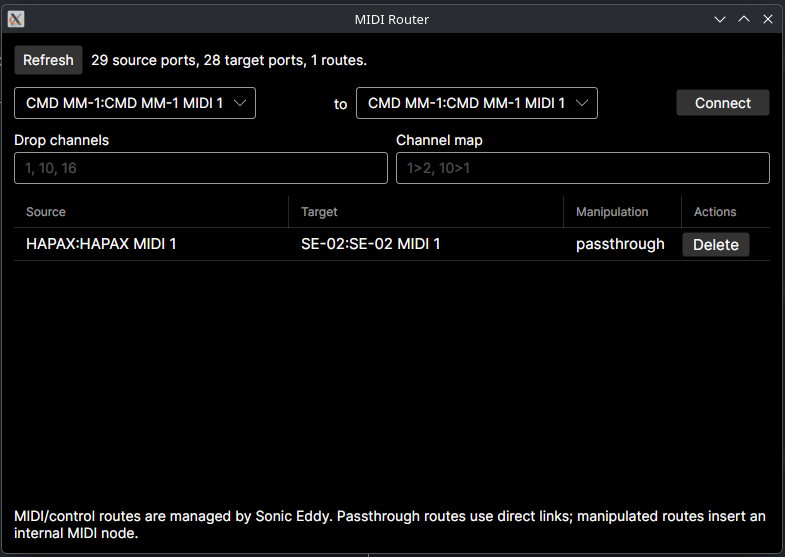
The top section of the midi router tool window provides the connect button to create new links. Before clicking the button make sure to select the source port on the left hand side, and the target port on the right hand side.
The list bellow shows all the links the midi router is currently managing.
Routes are persistent and will be restored after an application restart.